Optimizing Geospatial Workflows in the Cloud
A Guide to In-Memory DEM Processing with GDAL on GCP


In the ever-evolving landscape of geospatial technology, the integration of Digital Elevation Models (DEMs) within cloud computing platforms like Google Cloud Platform (GCP) has significantly expanded opportunities for data analysis and visualization. This introduction marks the beginning of an exploration into the sophisticated relationship between geospatial data processing and cloud technology, focusing on the impactful ways DEMs can be used to enhance our understanding of the Earth's surface. For an in-depth discussion on DEMs see this article:

Digital Elevation Models are pivotal in providing a detailed representation of the Earth's topography. They offer a precise depiction of surface elevation, from the highest peaks to the lowest valleys, enabling a comprehensive view of our planet's terrain. The capability of DEMs is profoundly amplified when coupled with the advanced computational power of cloud computing platforms, particularly within Google Cloud Platform (GCP).
Navigating through the processing and analysis of DEMs, especially when conducted in memory, requires careful consideration of several factors. The choice between Google Kubernetes Engine (GKE) and Google Compute Engine (GCE) as the preferred platform for hosting depends largely on the specific requirements of the workflow, the processing tasks' scale, and the desired level of operational flexibility.
Hosting Our Web App
When considering the processing and analysis of Digital Elevation Models (DEMs) in memory within the Google Cloud Platform (GCP), both Google Kubernetes Engine (GKE) and Google Compute Engine (GCE) offer compelling features, but the choice between them depends on the specifics of your workflow, the scale of your processing tasks, and the operational flexibility you require.
Considerations for GDAL in Cloud Environments
Single-threaded Operations: Many GDAL operations are single-threaded and might not automatically benefit from multi-core processing without explicit parallelization in your application.
Memory Usage: GDAL's memory usage can be intensive, especially for large datasets. While GKE can scale out by adding more pods, each pod's effectiveness is limited by how GDAL utilizes resources.
I/O Bound Processes: GDAL operations often involve reading from and writing to disk, which can be a bottleneck. Even though GKE allows for scalable compute resources, the performance gain might be limited if the operations are I/O bound rather than CPU bound.
Creating and Processing a DEM in Memory with GDAL
This example assumes you have DEM data in some form (e.g., an array of elevation values) and you want to create a DEM raster, process it, and serialize it to a byte string, all in memory.
import io
import numpy as np
from osgeo import gdal, osr

# Example elevation data as a NumPy array (replace with your actual data)
elevation_data = np.random.rand(100, 100).astype(np.float32)  # 100x100 raster of random elevations

# Step 1: Create an in-memory raster to hold the DEM
mem_driver = gdal.GetDriverByName('MEM')
dem_ds = mem_driver.Create('', elevation_data.shape[1], elevation_data.shape[0], 1, gdal.GDT_Float32)

# Set geo-transformation and projection (example values used here)
geo_transform = (0, 1, 0, 0, 0, -1)  # Origin x, pixel width, rotation, origin y, rotation, pixel height
srs = osr.SpatialReference()
srs.ImportFromEPSG(4326)  # WGS84
dem_ds.SetGeoTransform(geo_transform)
dem_ds.SetProjection(srs.ExportToWkt())

# Load the elevation data into the in-memory raster
dem_ds.GetRasterBand(1).WriteArray(elevation_data)

# (Optional) Process the DEM here as needed
# For example, apply a filter, compute slopes, etc.

# Step 2: Serialize the in-memory DEM to a byte string
vsimem_path = '/vsimem/temp_dem.tif'
gdal.Translate(vsimem_path, dem_ds, format='GTiff')

vsifile = gdal.VSIFOpenL(vsimem_path, 'rb')
gdal.VSIFSeekL(vsifile, 0, 2)  # Seek to end
vsilength = gdal.VSIFTellL(vsifile)
gdal.VSIFSeekL(vsifile, 0, 0)  # Seek to start
byte_string = gdal.VSIFReadL(1, vsilength, vsifile)

# Cleanup
gdal.VSIFCloseL(vsifile)
gdal.Unlink(vsimem_path)
dem_ds = None  # Release the dataset

# 'byte_string' now contains your serialized DEM
Explanation
Creating the DEM: The DEM is created as an in-memory raster (
dem_ds) with GDAL, using a NumPy array (elevation_data) to provide the elevation values. The raster is configured with a basic geo-transformation and projection to ensure it has spatial reference information.Processing (Optional): You can perform any required processing on the DEM while it's still in memory. This could include applying spatial filters, calculating derived metrics like slope or aspect, or any other raster operations supported by GDAL.
Serialization: The DEM is then serialized to a byte string by first using GDAL to write it to the
/vsimem/virtual filesystem, and then reading it back into a Python byte string. This allows the DEM to be used directly in memory, suitable for uploading to APIs or further in-memory processing.Cleanup: It's important to close and unlink the virtual file and release the GDAL dataset to avoid memory leaks.
This workflow is ideal for cloud computing environments where you want to keep the entire data processing pipeline in memory, reducing the need for disk storage and potentially speeding up the processing.
For In-Memory DEM Processing
GCE might be more suitable for in-memory DEM processing due to several reasons:
Resource Control: GCE provides granular control over the computing resources. This level of control is crucial when dealing with in-memory processing of DEMs, as you can tailor the VM's size and configuration to match the memory requirements of your data and processing tasks.
Performance: The ability to customize your compute instance allows for optimization of performance, especially for compute-intensive tasks. This can be particularly important for in-memory operations, which can be resource-intensive.
Simplicity: For workflows that primarily involve batch processing or single, large-scale computations rather than ongoing, dynamic scaling, the simplicity of a VM might be preferred. GCE's straightforward setup can be advantageous for geospatial data scientists and engineers who focus more on the data processing side and less on container orchestration.
However, Google Kubernetes Engine (GKE) Should Not Be Overlooked
GKE offers advantages, especially if your in-memory DEM processing is part of a larger, more complex application or service:
Scalability: If the DEM processing is one component of a larger system that needs to scale based on demand, GKE's auto-scaling capabilities can manage workload fluctuations more efficiently.
Containerization: For applications that involve multiple services working together (e.g., data ingestion, processing, analysis, and visualization), containerization can facilitate easier deployment, scaling, and management of these services.
Managed Environment: GKE reduces the operational overhead of managing the underlying infrastructure, allowing teams to focus more on development and less on maintenance.
Managing Load Balancing: Limitations of GDAL Cloud Integration
Many of GDAL's operations are inherently single-threaded and do not provide built-in mechanisms for parallel processing across multiple compute instances. However, there are strategies to work around these limitations and effectively utilize GDAL in a parallel or distributed manner, albeit with some manual orchestration or using additional tools:
Splitting the Workload
One common approach to parallelize workloads with GDAL is to split the dataset into smaller, manageable chunks that can be processed independently. This method requires some upfront work but can significantly reduce processing time when applied correctly.
Data Partitioning: Manually divide large datasets into smaller subsets. For example, if you're processing a large raster or DEM, you could divide it into tiles and process each tile independently.
Batch Processing: Use scripts or automation tools to dispatch separate GDAL processing commands for each data chunk. Each command runs independently, allowing for parallel processing on multiple cores or even across different machines.
MapReduce Frameworks: For certain types of geospatial data processing, MapReduce frameworks (e.g., Hadoop or Spark) can be used. Although integrating GDAL with these frameworks might require significant effort, and perhaps make for an interesting future blog post), they offer a model for processing large datasets in a distributed manner.
Considerations
I/O Bound Operations: If GDAL operations are I/O bound due to disk read/write speeds, parallel processing might not yield significant performance improvements. Optimizing storage solutions or using in-memory data storage can help mitigate this issue.
Complex Workflows: Some geospatial processing workflows may involve steps that cannot be easily parallelized due to data dependencies. Careful planning and workflow design are necessary to identify parallelizable components.
In summary, while GDAL itself may not support parallel processing across multiple compute instances directly, various strategies and external tools can be employed to achieve parallelism. These approaches require additional orchestration and management but can significantly enhance the processing efficiency of geospatial data with GDAL.
Displaying DEMs in Google Maps and Google Earth
The visualization of DEMs in Google Earth and Google Maps introduces the topic of projection systems and their implications for geospatial data display.
Projections: The difference between WGS84 (utilized by Google Earth) and Google Mercator (employed by Google Maps) is pivotal. WGS84 offers a geographic coordinate system ideal for global representations, while Google Mercator, a projected system, is optimized for mapping applications, affecting how DEMs appear on these platforms.
Google Earth Engine: Leveraging Google Earth Engine (GEE) for creating tiled images from DEMs facilitates their displayGoogle Maps. GEE's powerful processing capabilities allow for the generation of "superoverlays," enabling efficient streaming of high-resolution imagery. These are like tiled images that change their resolution based on how much the user zooms in or out of the image; therefore the raster image loads much faster.
Superoverlay in Google Earth
A superoverlay represents a sophisticated method in Google Earth for streaming high-resolution imagery. By dividing the image into smaller tiles and loading only those in view, superoverlays offer an efficient way to manage and display detailed spatial data.
Tiled Image Creation: Utilizing GEE for creating tiled images ensures that DEMs are correctly projected and neatly displayed across different zoom levels on Google Maps or Google Earth. This approach underscores the importance of modern cloud-based tools in enhancing the visualization and analysis of geospatial data.
By navigating through these topics, this article aims to illuminate the path for handling DEMs in cloud environments, underscoring the significance of GDAL, the strategic choice between GKE and GCE, and the innovative visualization techniques available through Google Earth Engine. This exploration not only educates but also equips readers with best practices for geospatial data visualization and analysis, showcasing the profound capabilities of contemporary cloud-based geospatial data engineering tools.
Final Thoughts
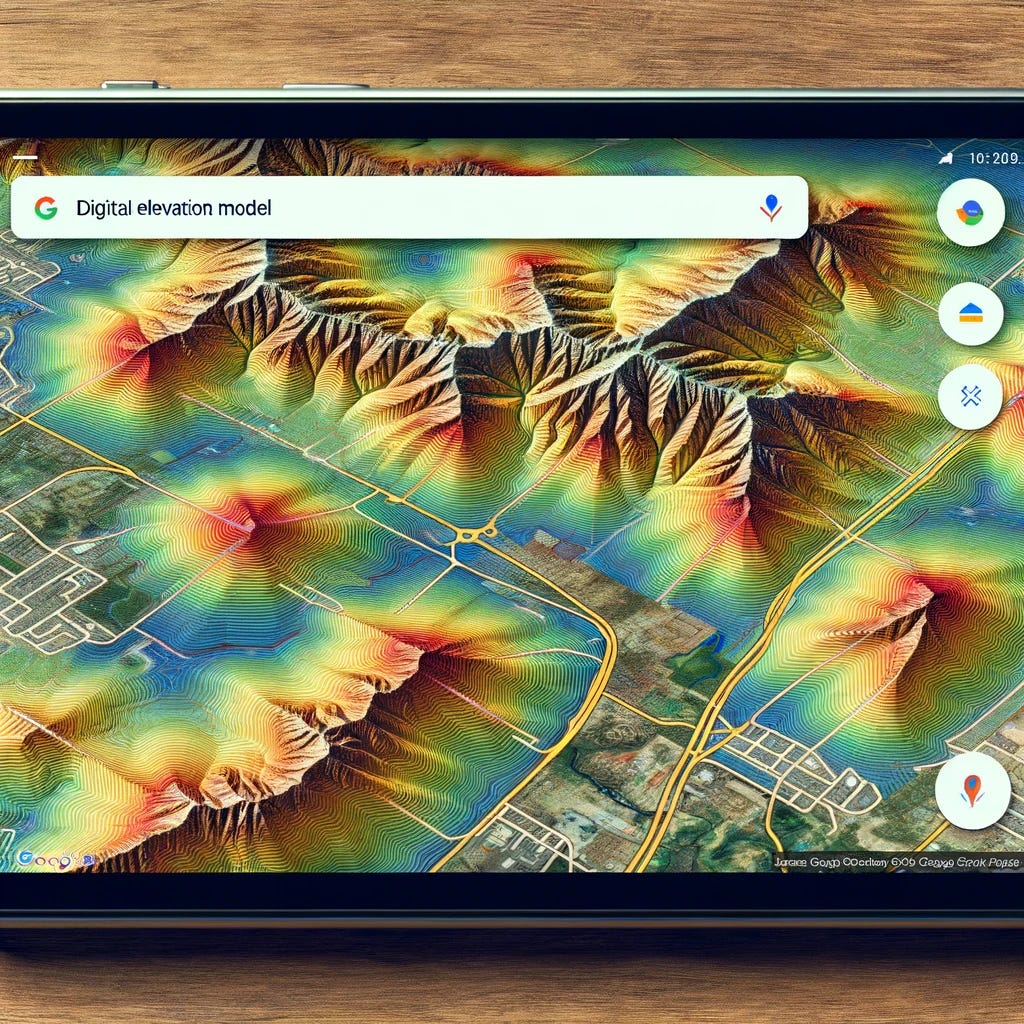
In conclusion, integrating Digital Elevation Models (DEMs) into Google Maps provides a powerful tool for visualizing and understanding the topography of the Earth's surface. By leveraging tools like GDAL for geospatial data processing and Google Earth Engine for managing and analyzing geospatial data at scale, we can create detailed and informative map overlays. These overlays enhance traditional maps with elevation contours or shaded relief, offering valuable insights into terrain and landscape features.
The process of displaying DEMs in Google Maps, while technically demanding, opens up numerous possibilities for applications ranging from urban planning and environmental monitoring to outdoor recreation and educational purposes. The ability to visualize elevation data in a familiar mapping context makes complex geospatial information accessible to a broader audience, facilitating better decision-making and fostering a deeper appreciation of our natural and built environments.
Furthermore, the choice of the technology stack, whether it's Google Kubernetes Engine (GKE) or Google Compute Engine (GCE), depends on the specific requirements of your project. Factors such as scalability, statelessness, and the need for in-memory processing should guide your decision. While GKE offers advantages in managing containerized applications and dynamic scaling, GCE provides granular control over computing resources, making it suitable for intensive geospatial data processing tasks.
Ultimately, the integration of DEMs into Google Maps exemplifies the synergy between geospatial technology and cloud computing, highlighting how advanced data processing and visualization techniques can be harnessed to deliver rich, interactive map experiences. As these technologies continue to evolve, we can anticipate even more sophisticated and user-friendly tools for geospatial analysis and visualization, further unlocking the potential of digital elevation data to inform and inspire.
Thank you for reading this installment and I hope you’ve learned something useful! If you like this content please like, comment, share, and subscribe!
Acknowledgments
This project, and the insights shared through this blog, stand on the shoulders of a remarkable collaboration with a group of talented individuals. While I've adapted our original work to fit new contexts and incorporated my changes, the foundational efforts of my colleagues were instrumental in achieving our initial successes.
Special thanks go out to Syd Hajicek, Quinn Joel, and Scott Devaugn, whose contributions were pivotal in shaping the project's direction and impact. Their expertise in front-end development, Google Earth Engine integration, and GDAL processing, respectively, brought technical depth and innovation to our work.
I also wish to extend my gratitude to the deployment team and all others involved, whose names I may not have mentioned, but whose hard work and dedication have not gone unnoticed. Your collective efforts have been invaluable, and this project would not have been possible without your support and collaboration.
As we continue to build upon this work, I am reminded of the power of teamwork and the incredible things we can achieve when we combine our strengths and ideas. Thank you to everyone who played a part in this journey.
About the Author
Daniel Rusinek is an expert in LiDAR, geospatial, GPS, and GIS technologies, specializing in driving actionable insights for businesses. With a Master's degree in Geophysics obtained in 2020, Daniel has a proven track record of creating data products for Google and Class I rails, optimizing operations, and driving innovation. He has also contributed to projects with the Earth Science Division of NASA's Goddard Space Flight Center. Passionate about advancing geospatial technology, Daniel actively engages in research to push the boundaries of LiDAR, GPS, and GIS applications.